Is it possible to have productive meetings with colleagues or clients while we're in separate locations? Contributor Kimberly Weprich, Simplex Implementation Consultant and Trainer, offers her insight.
Yes. In today's mobile and 'virtual' working atmosphere it's important to stay in contact with clients or colleagues who are working remotely. Microsoft Office 365's Lync product provides an excellent tool for meeting with colleagues and clients who are unable to get together in the same location.
Using Lync’s Online Meeting function, contacts have the ability to view a participant’s desktop. This feature enables a fully collaborative approach to project, document, and workflow management. After joining a meeting, simply click on the Share button and choose Desktop.
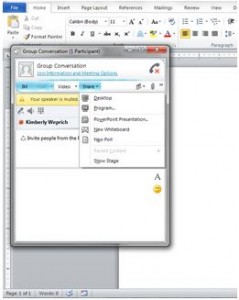
Your desktop will be shared with everyone attending the meeting. This function also provides a user with the ability to give control of their desktop to another user. Users can also switch desktops by changing presenters during a meeting. Participants can utilize these functions simply by clicking on the Give Control or Stop Sharing buttons at the top of the screen.
Microsoft Office 365’s Lync is a powerful communication and collaboration tool. Online meetings and desktop sharing are just the tip of the iceberg. Try Lync, and see what it can do for you!